 Option Guard
Option Guard: Product Options
Product options that reach the order
Add text fields and dropdowns to your products, like an engraving line or a size. Shopify checks the required ones before checkout completes. Every order is checked again after it is placed, so you find out the same day if one came through without a value.
How it works
- Add the fields to a product
Text fields and dropdowns, set per product in the app. They render on the product page through a theme app extension, so a theme update will not remove them.
- Shopify enforces the required ones
A checkout validation function checks the values on Shopify's servers, at add to cart and again at checkout. A browser script can be skipped. This cannot. And if our app goes down, the sale still completes.
- Every order is audited
Some orders skip enforcement anyway. Point of sale does not run validations. Neither does the Admin API. A theme can also lose the block. When that happens, the app names the order and links you to it.
On the product page
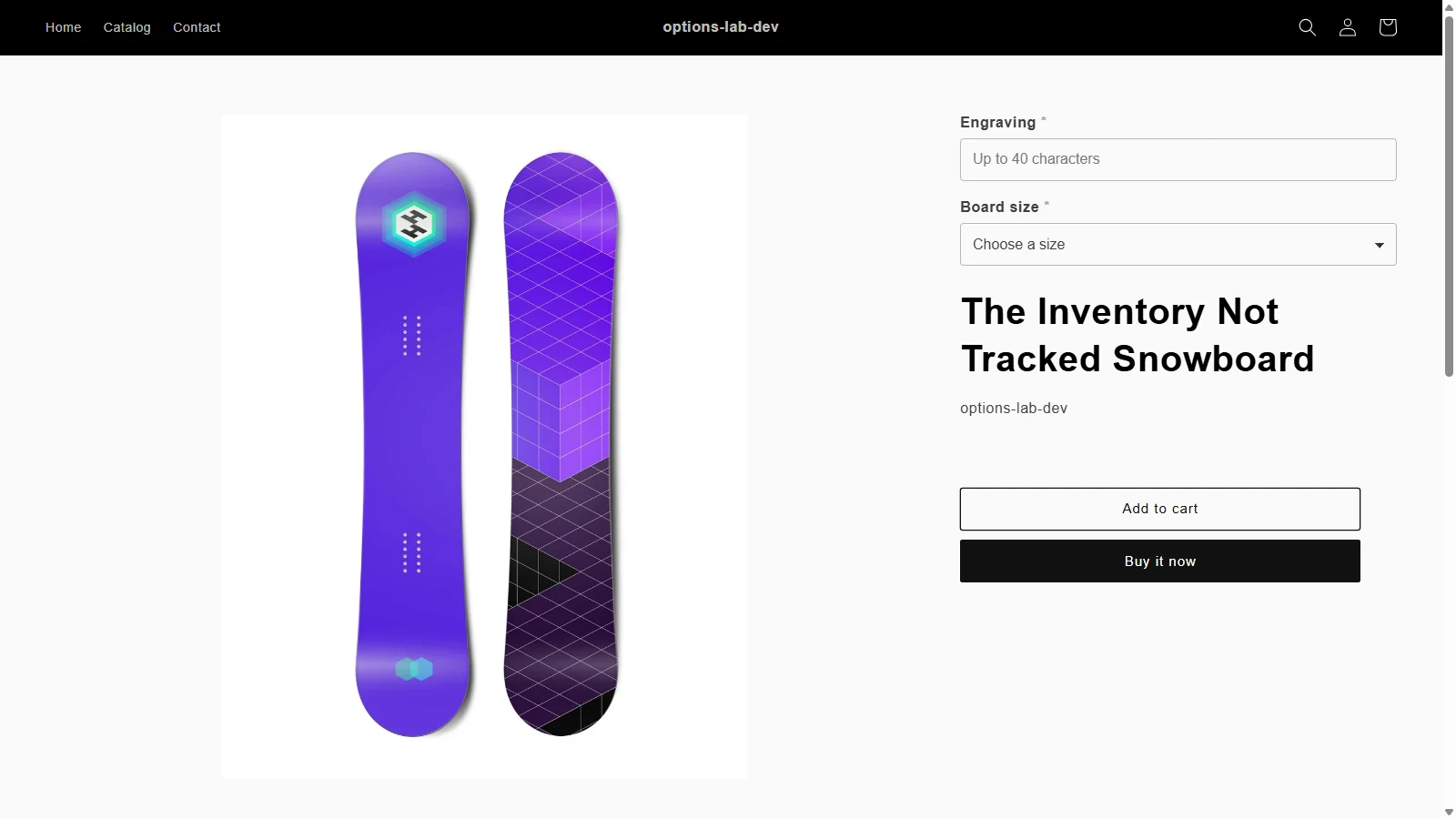 Click to enlarge
The fields sit inside the product form and take their styling from the theme.
When something slips through
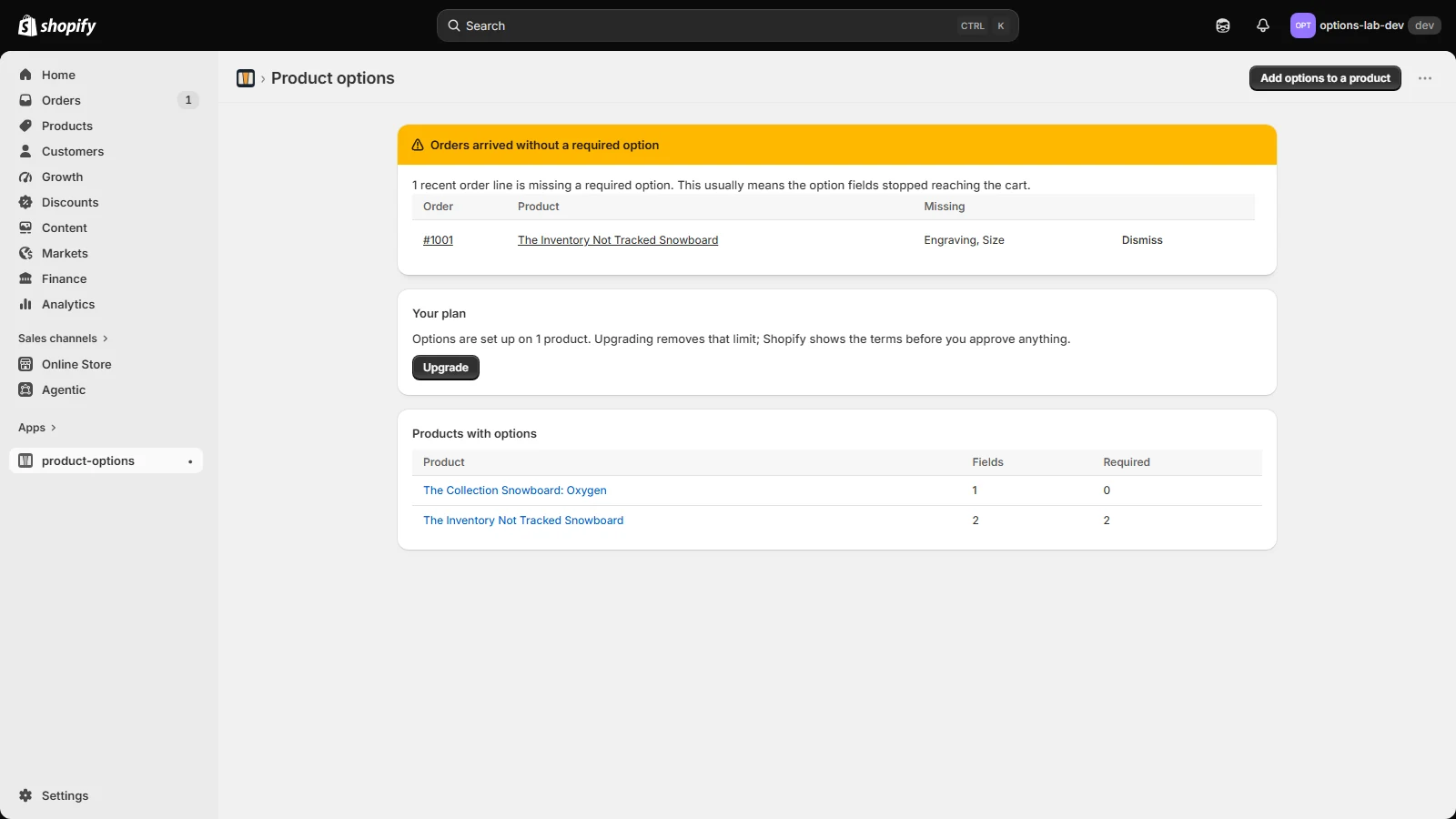 Click to enlarge
The order number and the fields that never arrived, while the item is still on your bench.
What you should know before installing
- Enforcement fails open. If the app has an outage, Shopify completes the sale and the order turns up in your alert list.
- Option values live in Shopify, in an app-owned product metafield on your store.
- The app reads no customer data: no name, email, address or payment detail. It reads the option values on order lines and nothing else.
- The free plan covers one product with options. The paid plan removes that limit. Shopify shows you the terms before it charges anything.